

Price Action 2nd Entry Indicator for Quantower
 Created 17 May 2025
·
Updated 17 May 2025
Created 17 May 2025
·
Updated 17 May 2025
The PriceAction 2nd Entry indicator is a Premium Quantower indicator that shows 2nd Entry signals, as defined by Mack's PATS strategy from priceactiontradingsystem.com.
Prerequisites
To use this indicator you should have the following prerequisites available.
- Quantower trading platform, at least version v1.141.19. Click here to download the platform.
- A free Quantower license.
- An automated-trading.ch account with an active Premium Subscription
Description
The idea behind the 2nd Entry indicator is that price moves in a 2-wave pattern: a first pullback that generates a failed attempt to break the 1st swing in the move, followed by a second, high-probability pullback that pushes price a certain number of ticks that can be traded for profit. This pattern happens very frequently during the trading session.
Examples
Bullish Trend Example
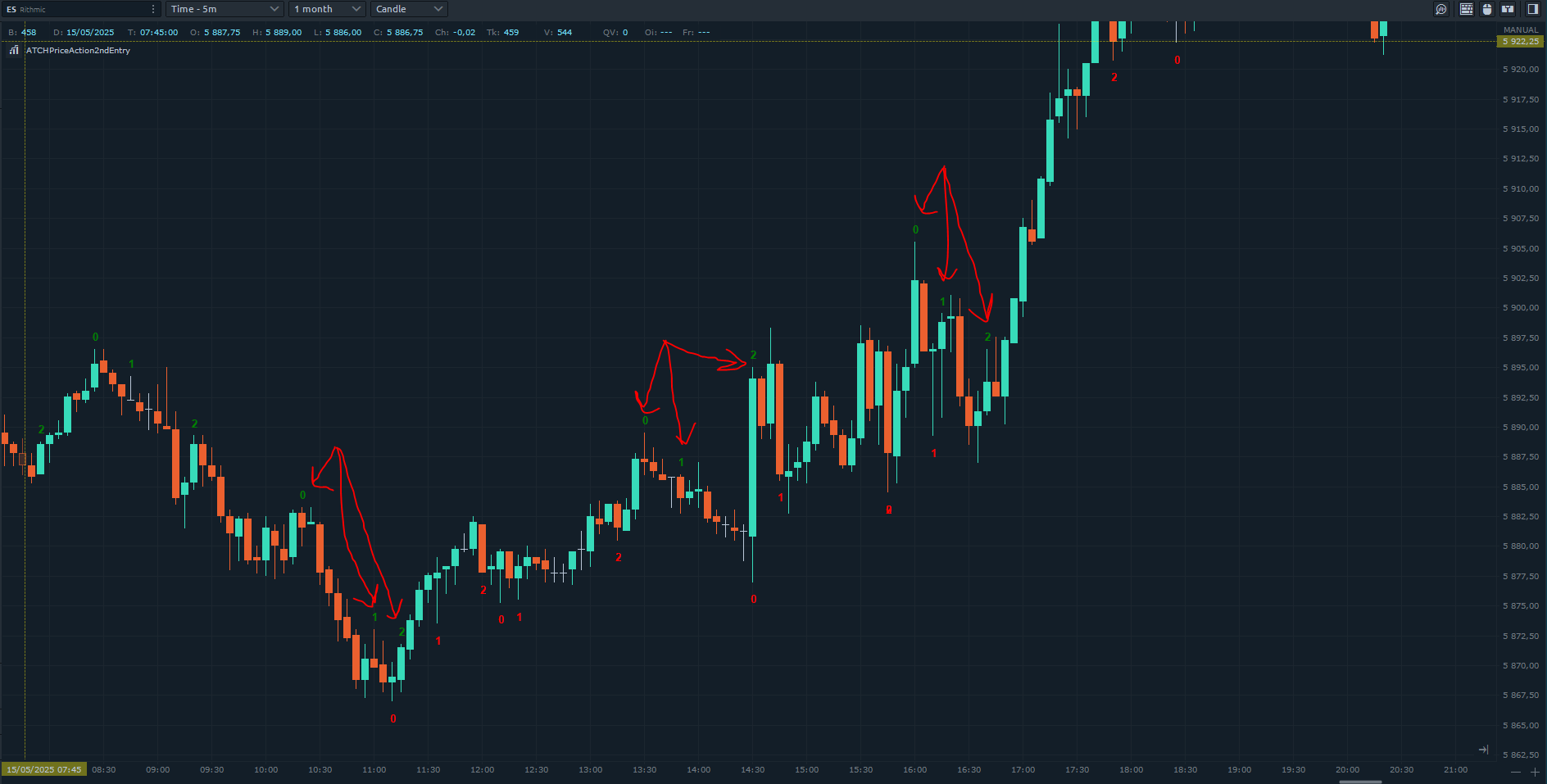
The indicator draws counting numbers in two colors — green for bullish and red for bearish (both configurable). Each counting sequence starts with a Higher-High for bullish sequences, and a Lower-Low for bearish sequences — at that swing point, the indicator prints the number 0. If, after drawing 0, price breaks that swing point and makes a new Higher-High or Lower-Low, the drawn 0 is removed and a new one is drawn, marking the start of a new counting sequence.
The algorithm then searches for the first failed attempt: price pulling back at least one tick higher or lower than the previous bar, then continuing further from the initial start of the counting sequence. If price instead breaks the initial start of the sequence after pulling back, the pattern is marked invalid and removed from drawing.
After detecting the 1st failed attempt, the algorithm seeks the 2nd attempt — the high-probability entry setup in the context of a trend continuation. The second attempt is the second pullback, where price breaks the previous candle's higher (bullish) or lower (bearish) wick and closes with a matching-direction candle. When this happens, the indicator draws an arrow marking a valid, high-probability entry signal, with an optional sound alert.
Features
The Price Action Second Entry indicator has a set of unique features:
- Replaces your manual counting effort with mechanical counting
- Can play a sound on each detected entry signal, along with a drawn arrow
Parameters
We always try to keep the parameters to a minimum.
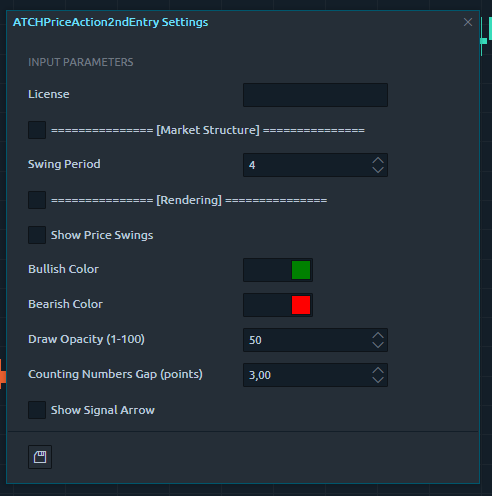
| License | |
| License | The license key you get when you create an account on automated-trading.ch. After creating an account, copy your license key from the billing page. You need to set this parameter only once — once validated, it will be remembered. |
| Market Structure | |
| Swing Period | Swings are higher lows, higher highs, lower highs and lower lows. After each price bar closes, a swing can be detected, but the next bar (or the one after) can cancel it by creating a new swing of the same type. The swing period sets how many bars are enough to separate two swings of the same type — a value of 3 or 4 is common. |
| Rendering | |
| Show Price Swings | Controls showing/hiding the swing points on the chart as small rectangles above/below candles. |
| Bullish Color / Bearish Color | Draw color of bullish/bearish items on the chart. |
| Render Opacity (1-100) | The opacity to render the sequence counting numbers on the chart. |
| Counting Numbers Gap (points) | Controls the drawing gap, in points, between the candle wicks and the counting numbers. |
| Show Signal Arrow | Controls showing/hiding the entry signal arrows. |
| Sound Alert | |
| Play Sound | Enables playing an alert sound when an entry signal is detected. |
| Play Sound File | Sets the file name to be played on sound alert — any .wav file on your computer. |
Download & Installation Instructions
License Requirements
At automated-trading.ch you can choose to either purchase a monthly subscription to use our premium products, or use our free products without subscribing.
In both cases, you need to create an account so you can get a License you can use for both premium and free products.
To obtain your license, simply sign up and then get your license on the billing page.
Download
You can also download this strategy — and every other automated-trading.ch strategy or indicator — anytime from your centralized Downloads page.
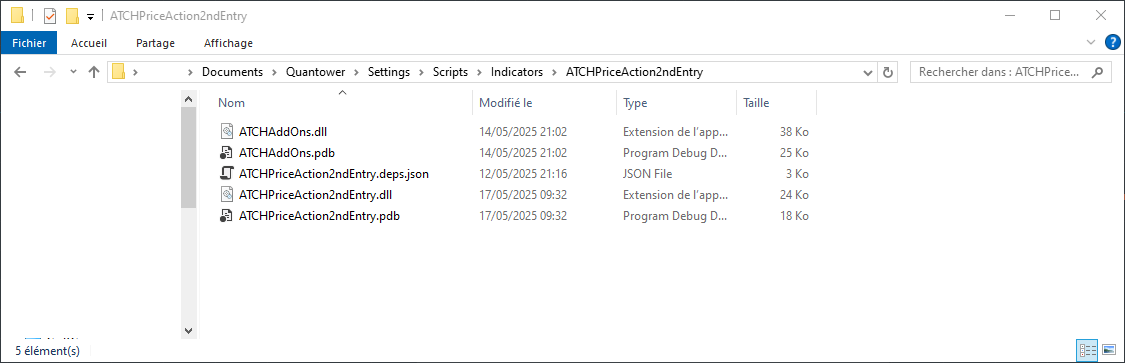
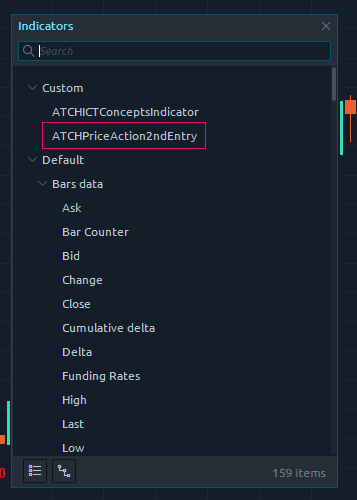
Installation Steps
Frequently Asked Questions
General
Subscriptions Q&A
Release Notes
- First Release of the indicator